
WBrC Competitors Guide
Workflow guidance, technical notes, and grinder care and maintenance for LAGOM 01
Brewers Guide - Video
Frequently Asked Questions
Transport & Competition Use
-
For long distance transport, we recommend keeping the plastic crate and foam inserts that came with the grinder, as they are designed to protect the grinder during international travel and shipping process.
The crate fits into a large suitcase, making it easy to transport on wheels and check in during flights. This is the recommended method when travelling to competitions or events.
Crate Dimensions:
64cm x 44cm x 29cm / 25.2 x 17.3 x 11.4 inches
20kg / 44 lbs -
Yes, competitors may bring their own grinder provided it matches the official competition configuration and has not undergone any user modifications. Your grinder will be inspected and must be approved before use.
For World Brewers Cup in WoC Brussels, please note that the power supply is 220V with Type F plug.
If your grinder is 110V, please contact us in advance (1 month notice). We can arrange (loaner):
a 220V controller swap
an appropriate power plug
This allows you to use your grinder safely without needing a transformer.
Getting Started and Workflow
-
For visual demonstration, we recommend watching the Quick Guide Video above. In general, the process goes like this:
Unpack the grinder.
Plug it into the power outlet.
Re-zero the grinder (grinder remains off)
Set your desired speed.
Adjust to your desired grind setting.
Press the on button.
Add beans to the hopper.
Turn off the power button.
Double press top button to purge (optional for filter grind at speed >3 or 600RPM)
Use the knocker to clear remaining grounds if needed.
Transfer the grounds to a separate cup for more accurate aroma assessment.
-
The grinder is designed for single-dose workflow with high dose precision (retention within ±0.1 g). You can weigh your exact coffee dose before grinding.
There is no need to purge with sacrificial coffee or overdose unless you choose to.
-
Our Mizen burrs go through a mechanical finishing process that reduces the need for seasoning. We also run coffee through the grinder before shipment.
Most grinders are ready to use out of the box, although some users may notice slight improvements after 2–5 kg of coffee.
If you decide to season the burrs, below is the recommended protocols:
Grind setting: 4
Speed: 9
Important:
Ensure the chute is never obstructed
Do not leave the grinder unattended
-
Both methods work.
Cold loading: beans are added before starting the grinder
Hot loading: beans are added while the grinder is already running
Choose whichever workflow best suits your brewing style.
-
If this is your first time using the grinder for filter brew, we recommend starting with:
Grind setting: 7 (~525 µm burr gap)
Speed: 6 (~1130 RPM)From there, you can adjust the grind setting and speed to suit your coffee and brewing preference.
Grinding Settings & Controls
-
At the factory, the grinder is calibrated with burr touch set to -0.2 to –0.3 ticks. This may vary slightly between units and after use.
The grinder’s adjustment range allows grinding from fine (Turkish) to coarse French press.
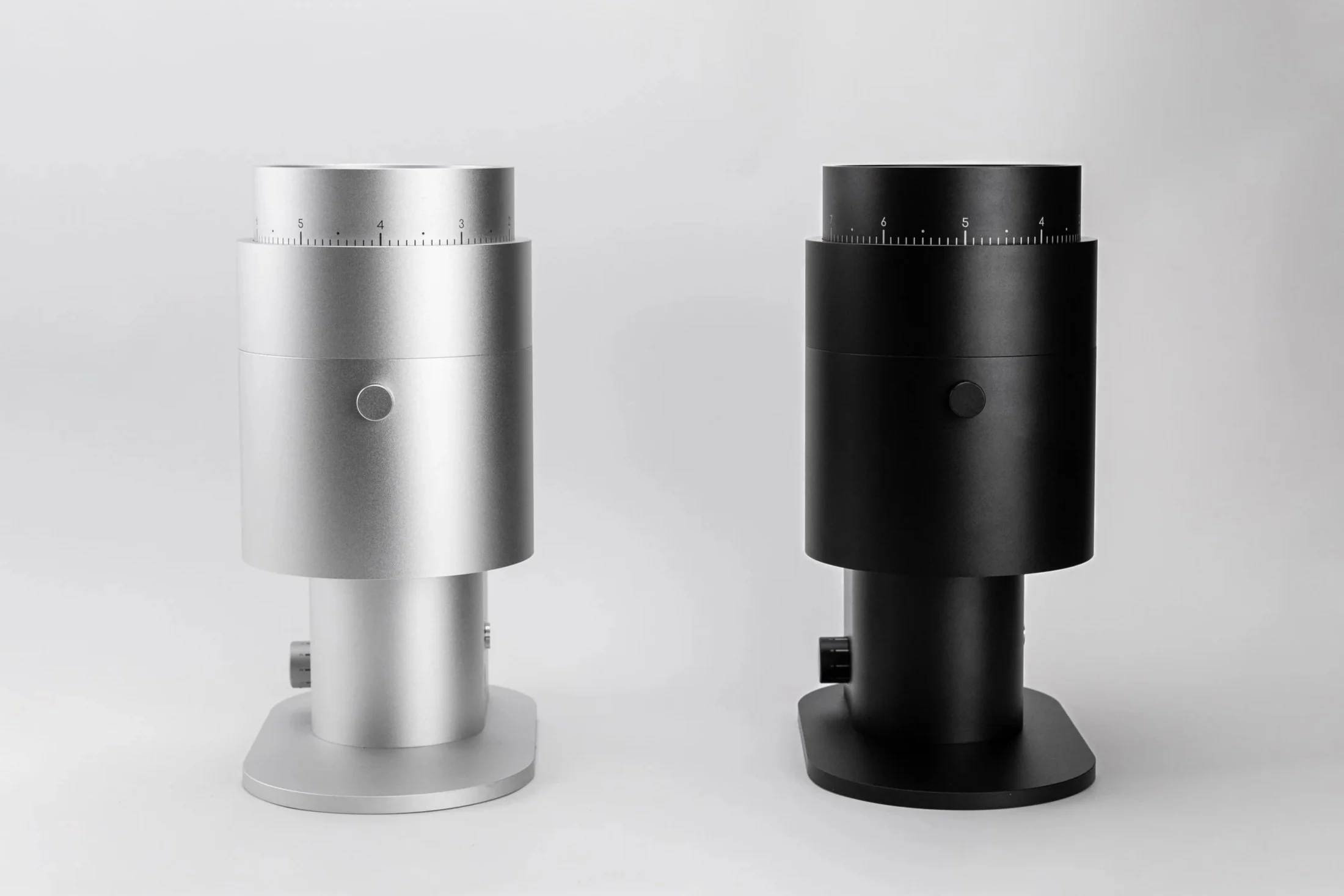
Each minor tick represents approximately 7.5 µm of vertical burr movement (burr gap).
For filter, we typically use setting 7-7.5 (approximately 550-600 µm burr gap).
Note 1 : Burr touch refers to the first sign of burr contact while the grinder is running. This represents the finest recommended usable setting.
Note 2: Burr gap (measured in microns) is not the same as particle size (also measured in microns). The resulting particle size is typically larger than the burr gap.
Note 3: Particle size distribution depends on many factors, including burr geometry, RPM, coffee density, roast and development level, moisture content, feed rate, and even the measurement method used (e.g., sieve vs. laser diffraction vs image analysis). Because of this, we do not quote particle size in microns, as we believe it is not a technically accurate or particularly useful way to describe grind size.
-
Unless specified otherwise, your grinder ships with the safety zero lock installed.
Option 1: Removing Safety Lock
The safety lock restricts grind adjustment to within one revolution, preventing the grinder from going below zero and causing the burrs to touch during operation. With the lock installed, the maximum grind setting is approximately 9.7.
If you need coarser grind settings (larger than setting 10), the safety zero lock can be removed following the instructions below.
Video Guide:
LAGOM 01 - Removing Safety Zero Lock [How To]
Option 2: Bypassing Safety Lock temporarily
Alternatively, you can quickly adjust past the safety lock to access the next grind range (settings 10–20 instead of 0–10).
Video Guide:
LAGOM 01 - Adjusting Coarser Past Safety Lock [How To]
Note: For the World Brewers Cup, grinders provided on-site will have the safety zero lock uninstalled by default, allowing access to the full grind range.
-
There are two buttons on the LAGOM 01 to provide flexibility based on your use case and workflow.
1) Top Button, AKA the Auto Button
This is a non-latching button. e.g. When released, the button returns to its original position.
Press once:
Starts an automatic grinding cycle
The grinder will grind, purge, and shut off automatically
Press twice quickly:
Activates purge mode
The grinder runs at maximum RPM to clear any retained coffee
The automatic grinding cycle is typically used in a hands-off operation where multitasking is required.
2) Bottom Button, AKA the Manual Power Button
This functions as a manual power switch.
Press once (button depressed):
Grinder turns ON
Press again:
Grinder turns OFF
-
The speed dial controls the grinding RPM (rotations per minute) of the burrs. Different speeds can influence grind characteristics and cup profile.
[Dial] | [RPM]
1 → 200 RPM
2 → 390 RPM
3 → 580 RPM
4 → 760 RPM
5 → 950 RPM
6 → 1130 RPM
7 → 1320 RPM
8 → 1510 RPM
9 → 1700 RPMIn general, in our experience:
Lower speeds tend to produce fewer fines, resulting in higher clarity and a lighter, more tea-like texture.
Higher speeds tend to produce slightly more fines, giving more body/depth, sweetness, and rounder acidity.
For most brewing styles, we find a good balance between clarity and body in the 3-6 range, though this may vary depending on coffee and brewing method.
Maintenance and Cleaning
-
The grinder has very low retention (typically less than 0.1 g), so frequent cleaning is usually unnecessary.
General guidelines:
Heavy daily use: clean every 3–6 months
Occasional use: clean as needed
After strongly flavored coffees: clean before switching coffees
If the grinder has been sitting idle for a long period (>3 months), we recommend cleaning (or running some sacrificial beans through the grinder) before use.
-
For routine maintenance and cleaning instructions, please follow the video guide below.
Video Guide:
-
No. Cleaning the grinder does not affect the grind calibration, and your grind setting will remain the same. No recalibration is required.
Technical / Troubleshooting
-
Every grinder is calibrated at the factory before shipment, so recalibration is generally not required (even after complete disassembly).
Recalibration is only necessary if the burrs have been changed.
If you do need to recalibrate the grinder, follow the process shown in the video below.
Video Guide:
-
Follow the step-by-step process shown in the video above to safely remove and install the burrs.
When reinstalling, ensure the burrs are properly seated and secured before operating the grinder.
Note: You will likely need to recalibrate the setting after burr replacement.
Video Guide:
LAGOM 01 - Burr Installation [How To] -
The grinder controller includes both safety cut-off and thermal protection to protect the motor and internal components.
If the grinder encounters excessive resistance (for example, a foreign object in the burrs causing current to exceed the rated limit), the grinder may automatically cut off and stop operating until the condition is resolved.
If this happens:
First confirm the power outlet is working and that the plug is firmly connected.
Unplug the grinder.
Disassemble the grinding chamber and check for any obstruction or foreign objects.
If the grinder may have overheated, allow it to rest and cool before attempting again.
To reset the safety trigger, unplug the grinder for at least 1 minute before plugging it back in.
These protections are designed to safeguard the grinder during operation. If you encounter any other unexpected technical issues, please contact competitions@option-o.com, or speak to our team onsite for assistance.
Still have questions? Feel free to reach out anytime to our team at competitions@option-o.com